The essence of MDM for small and large organizations
Services
April 19, 2026
Reverse IT

What is Mobile Device Management (MDM)?
Mobile Device Management (MDM) is software that allows organizations to centrally manage all mobile devices through a single platform. With it, you can, among other things:
- Remotely configure devices
- Install and manage apps
- Enforce security settings
- Block or erase devices in case of loss
MDM is also often referred to as Enterprise Mobility Management (EMM), because it goes beyond just device management.
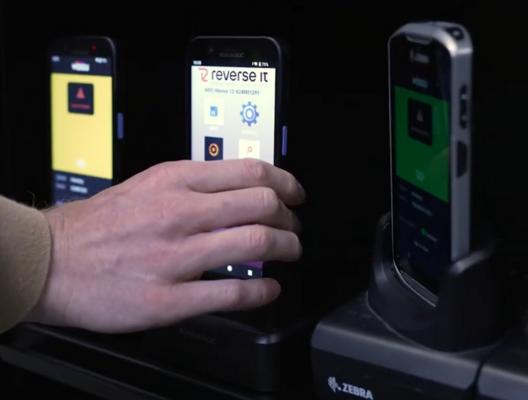
What makes MDM essential for small and large organizations?
Mobile Device Management (MDM), also known as Enterprise Mobility Management (EMM), has become indispensable for many organizations due to the rapid increase in mobile devices. This growth has created a rising demand for control.
The MDM/EMM market has exploded, with many startups and large technology companies such as Google and Microsoft entering the space. Even IT endpoint and network vendors are aiming to integrate mobile device management capabilities.
With more than 150 available options, it has become challenging for organizations to find the solution that best fits their business, devices, users, and applications. On the surface, most vendors claim to offer similar capabilities, and the term “mobile device management” is often considered too broad, leading to the use of various alternative labels.
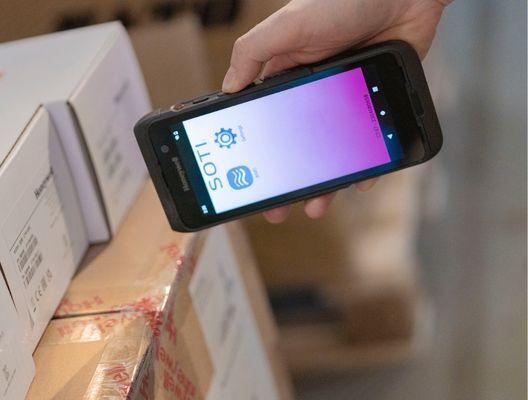
Why centralized management is becoming increasingly important
Organizations are becoming more and more dependent on mobile and connected technology. Smartphones, laptops, and tablets form the backbone of daily operations, but systems such as servers, kiosks, dashboards, machines, and digital signage also play a crucial role.
This dependency makes processes vulnerable. For example:
- Scanning phones in logistics and transport
- Mobile devices in warehouse and order processing
- Healthcare applications for patient data
- Industrial tablets and machine interfaces
- Self-service systems in retail
When these systems fail, it has a direct impact on operations.
Time = money
It is clear that the mobile computer plays a crucial role in both our business and private environments, and this role is becoming increasingly important. This means that any disruption has an impact on operations. A smartphone, laptop, or healthcare device may be quickly replaceable, but how much time does it take to get the user up and running again? What are the consequences?
An error message, application crash, a dead or defective battery, an outdated software (app) version, a wrong configuration, or a hardware failure can prevent an employee from continuing their work. Often, this impacts multiple connected processes.
Start the stopwatch! How much time does it take to get this user back on track?
- Who does the user need to report to? Is that person available and reachable?
- How far or how long does the user need to walk to reach this person?
- Is a replacement device available, or does one need to be shipped?
- Can this be resolved remotely?
- How much total time does the solution take?
Hardware is a commodity
Mobile devices must be ready for immediate use, regardless of user or location. This raises questions such as:
- How quickly can a device be configured?
- Is internal expertise available, or are you dependent on vendors?
- What are the deployment costs per device?
The real value is not in the device itself, but in how quickly it can be made operational.
Updates and risks
The software world has changed in terms of availability, usability, hosting, and development. Where software updates used to be announced and rolled out only once a year, quarter, or month, many apps now follow a “continuous” model. Updates are sometimes released weekly or even daily, or they are already deployed before you even notice.
A small update can have major consequences. This fast-paced way of software development and deployment (CI/CD) sometimes leaves insufficient time and resources to properly test updates. Mistakes are human, and even the most advanced (AI) testers and tools occasionally miss a bug. And that update may just disrupt your critical business process.
- What is the impact on the organization and customers?
- What are the consequences for users and IT colleagues?
- Can the update be quickly rolled back or fixed?
- How many employees are involved?
- What is the impact on a customer or client?
- How much time does all of this take?
Could this have been prevented?
Standing still means falling behind. The importance of updates is also increasing; every improvement or new feature can enable employees to perform processes faster, more efficiently, and more accurately. This can give you an advantage over the competition or even save time (and money).
- Do you have control over postponing or preventing an update?
- Are you forced to update due to a critical data leak or risk?
- Who is responsible?
What is the solution?
Prevention is better than cure. An MDM/EMM enables IT departments, warehouse managers, supervisors, or team leaders to prevent and resolve the issues above in the most efficient and effective way possible. It helps to:
- Resolve incidents faster
- Roll out updates in a controlled way
- Manage devices remotely
- Automate processes
In addition, MDM makes it possible to use data from mobile devices for dashboards and operational insights.

What is needed?
Reverse IT has made a careful selection from the wide range of MDM solutions, based on a number of criteria:
- Mature (in development for a long time)
- Extensive and in-depth functionality (automation)
- Support for multiple operating systems (OS)
- Vendor-independent with the best compatibility
- Strong references and (global) support
The EMM platform from SOTI clearly emerged as the best solution. It is a rapidly growing platform for which we now hold MSP status, and from which our customers truly benefit. With more than 25 years of development, SOTI knows how to translate real-world scenarios into (automated) solutions.
Reverse IT has specialized strongly in this and has all the expertise in-house to implement and manage this solution (and mobile devices). We provide adequate training and support, so that our customers, whether they have IT knowledge or not, do not have to handle it themselves.

Ready to gain control over Mobile Device Management?
Mobile devices are now crucial to business processes. Without centralized management, risks in security, continuity, and efficiency quickly arise. Do you want to know how your organization can improve control over this?
Feel free to contact us for a no-obligation consultation or demonstration. Together, we will identify where the risks lie and how MDM can immediately add value.
FAQ – Mobile Device Management
What is Mobile Device Management (MDM)?
MDM is software that allows organizations to centrally manage, secure, and configure mobile devices such as smartphones, tablets, and scanners.
What is the difference between MDM and EMM?
MDM focuses primarily on device management. EMM (Enterprise Mobility Management) is broader and also includes app and data management.
Which organizations is MDM suitable for?
MDM is suitable for both small and large organizations, especially when multiple mobile devices are used in processes such as logistics, healthcare, retail, or field service.
Which devices fall under MDM?
MDM is used for smartphones, tablets, scanners, rugged devices, laptops, and sometimes also kiosks and industrial systems.
What does Mobile Device Management cost?
Costs are typically between €3 and €10 per device per month, depending on functionality, scale, and type of solution.
Is MDM secure?
Yes, MDM improves security by centrally securing devices, enabling remote data wiping in case of loss, and enforcing policies automatically.
What happens if a device is lost or stolen?
With MDM, a device can be remotely locked or completely wiped to protect company data.
Can MDM centrally manage updates and apps?
Yes, updates, applications, and settings can be centrally deployed or managed per group of devices.
How quickly can MDM be deployed?
Depending on the environment, MDM can often be deployed within a few days to weeks, including configuration and device onboarding.
Does MDM work remotely?
Yes, MDM is specifically designed for remote management, allowing IT departments to manage devices anywhere without physical access.
Can MDM be integrated with other systems?
Yes, many MDM solutions can integrate with identity management, ERP systems, and business applications.